
DATA DISTRICT DOCUMENTATION

How to Flash a 75T or 100T DMA Card
A dedicated guide for 75T and 100T FPGA cards: JTAG connection, model selection, tool settings, and verification.
7 min read Updated August 12, 2026 Verified by DATA DISTRICT DMA
Use the card’s service JTAG port and only the driver, tool, model setting, and BIN file intended for its exact FPGA family. A file selected by guesswork can leave the card unusable.
Preparation
- 1Download and fully extract the DATA DISTRICT DMA archive. Do not run tools from inside the compressed file.
- 2Connect the cable to the card’s JTAG / Update port and directly to the secondary PC.
- 3Install
JtagDrivers.exeor the driver included for the card interface, then restart the tool as administrator.
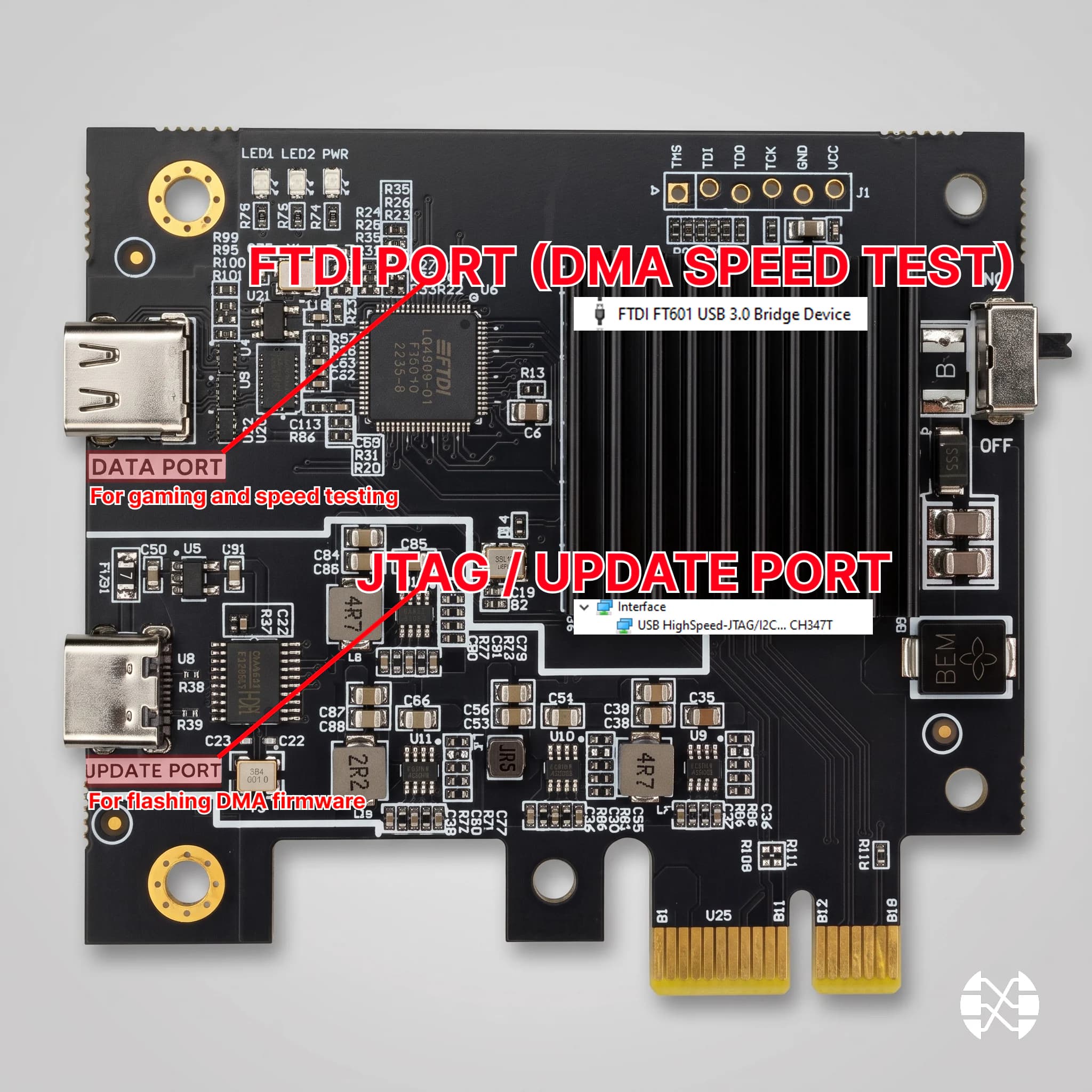
Connect over JTAG
- 1Keep the firmware BIN file in a simple local folder and confirm that it belongs to the exact card and FPGA family.
- 2Do not rename or substitute files unless the supplied instructions explicitly require it.
- 3Close other applications that may access the USB device and prevent Windows from sleeping during the write.
75T and 100T settings
- 1Run
CH347FpgaDownloadTool.exeas administrator. - 2For a 75T card choose
xc7a75t; for a 100T card choosexc7a100t. - 3Set File Type to BIN and Hardware Clock to 10000000.
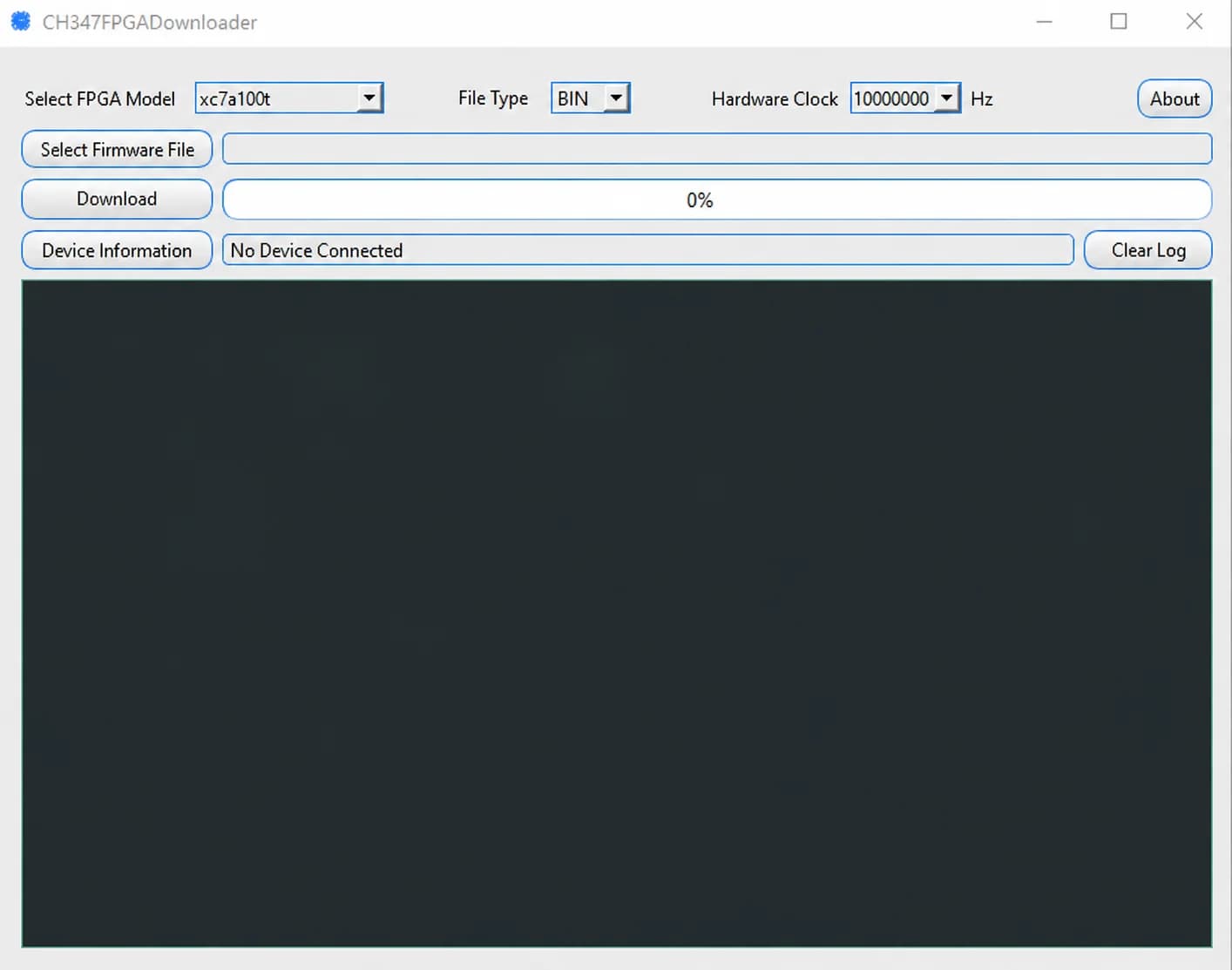
Write the firmware
- 1Select the correct firmware BIN file and start the download/write operation.
- 2Do not disconnect USB, power off either PC, close the tool, or allow sleep while the progress indicator is active.
- 3Wait for a successful completion message, close the tool, shut both computers down completely, and disconnect the service cable.
- 4Reconnect the normal DATA port, cold-boot the systems, reinstall the FTDI driver if required, and run the full DMA Test.
Verify the result
The write is complete only when the tool reports success and the card is detected over DATA after a cold boot and passes DMA Test without connection errors.
NEED HELP?
Could not complete the guide?
Tell us your DMA card model, motherboard, Windows version, and attach a screenshot of the error.